Showing posts with label PANDORA CREATIONS. Show all posts

Sunday, April 5, 2015

Fairy Land


This tutorial was written for those who have a working knowledge of psp.

I use paint shop 9, but any version should work.


All of my tutorials are of my own creations any similarity with any other tutorial is purely coincidental.Please do not copy my tutorials please link back to my blog!


I am always interested in seeing what you create using my tuts. You can send your results to me at lynnkitten101@gmail.com


SUPPLIES NEEDED:


Tube of choice.
I am using artwork by Pandora Creations
A PTU Artist. You must purchase and obtain a license to use
 You can get this tube here.
 
Scrapkit of Choice:
Scrapkit PTU St. Patrick Patrizia by Designs by Joan
  You can find this kit here 
 
Font of choice.

Filters needed:
eye candy4-gradient glow-used for name

Mask of Choice:
I used WSL_345 which you can get here
 
 
Don't forget to save often!


LET'S GET STARTED


Open a new image 800x800
we will resize later
 
PLACE THESE ELEMENTS 
 
element50
element51
 element57
element56
element36
element13
element16
element12
element33
element66

place your tube on the grass layer 
 
 c/p paper5 apply mask, merge group

Add name or saying of choice

Add proper copyright info and save as .png

Thanks for trying my tutorial. I hope you enjoyed it.

This tutorial was written on April 5, 2015
 photo siggybymistylynn.png

Monday, March 23, 2015

Patrizia

 
This tutorial was written for those who have a working knowledge of psp.

I use paint shop 9, but any version should work.


All of my tutorials are of my own creations any similarity with any other tutorial is purely coincidental.Please do not copy my tutorials please link back to my blog!


I am always interested in seeing what you create using my tuts. You can send your results to me at lynnkitten101@gmail.com


SUPPLIES NEEDED:


Tube of choice.
I am using artwork by Padora Creations
A PTU Artist. You must purchase and obtain a license to use
 You can get this tube here.
 
Scrapkit of Choice:
Scrapkit PTU Patrizia Dairy by Bibis Collections
  You can find this kit here 
 
Font of choice.
Mask of Choice:
I used WSL_222 which you can get here

Filters needed:
eye candy4-gradient glow-used for name


Don't forget to save often!


LET'S GET STARTED


Open a new image 800x800
we will resize later
 
PLACE THESE ELEMENTS 
 
element10
element100
 element11
element12
element13
element15
element19
element27

place your tube at the bottom below the top black grass layers

 
 c/p paper5 apply mask, merge group
 
Add name or saying of choice

Add proper copyright info and save as .png

Thanks for trying my tutorial. I hope you enjoyed it.

This tutorial was written on March 23, 2015
 photo siggybymistylynn.png

Thursday, July 10, 2014

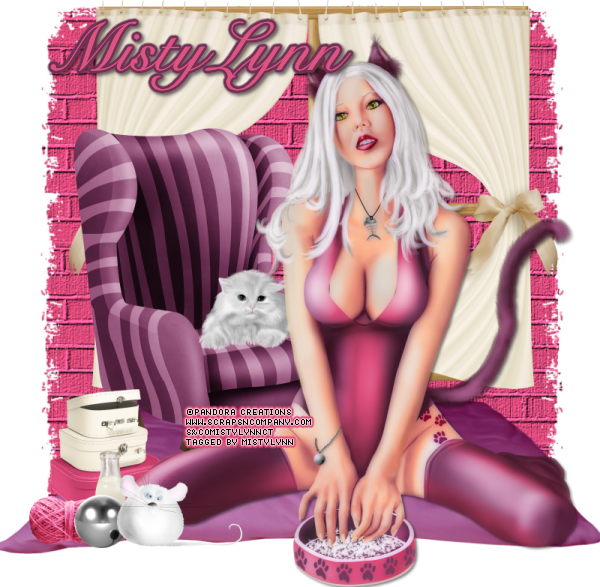
Kitty Kitty


This tutorial was written for those who have a working knowledge of psp.

I use paint shop 9, but any version should work.


All of my tutorials are of my own creations any similarity with any other tutorial is purely coincidental.Please do not copy my tutorials please link back to my blog!


I am always interested in seeing what you create using my tuts. You can send your results to me at lynnkitten101@gmail.com


SUPPLIES NEEDED:


Tube of choice.
I am using artwork by Pandora Creations
A PTU Artist. You must purchase and obtain a license to use
 You can get this tube here.
 
Scrapkit of Choice:
Scrapkit PTU Cat Lover by Designs by Joan. This kit is part of a collab.
  You can find this kit here
 
Mask of Choice:
I used WSL Mask_128 which you can get here
 
Font of choice.


Filters needed:
eye candy4-gradient glow-used for name


Don't forget to save often!


LET'S GET STARTED


Open a new image 800x800
 
  flood fill with color of choice, apply mask, merge group

element21 resize place towards the top
 
c/p your tube place at the bottom towards the right

PLACE THESE ELEMENTS

element3
element4
element46
element18
element31
element29
element1
element17


Add name or saying of choice

Add proper copyright info and save as .png

Thanks for trying my tutorial. I hope you enjoyed it.

This tutorial was written on July 10, 2014
 photo tutblog1_zps6f1c5424.png

Thursday, February 27, 2014

Light Angel


This tutorial was written for those who have a working knowledge of psp.
I use paint shop 9, but any version should work.


All of my tutorials are of my own creations any similarity with any other tutorial is purely coincidental.Please do not copy my tutorials please link back to my blog!


I am always interested in seeing what you create using my tuts. You can send your results to me at lynnkitten101@gmail.com


SUPPLIES NEEDED:

Tube of choice.
I am using artwork by Pandora Creations
A PTU Artist. You must purchase and obtain a license to use.
 You can get this tube here.
 
Scrapkit of Choice:
Scrapkit PTU Light Angel by Designs by Joan.
  which you can get  here.


Font of choice.
I used Respective
 
 
Filters needed:
 eye candy4-gradient glow-used for name
xero-porcelain 


Don't forget to save often!


LET'S GET STARTED


Open a new image 700x700
 
 
 c/p element78 using your magic wand click inside the frame
selection-modify by 5 c/p paper2  selections-invert hit delete
move  paper under frame

c/p tube place in center of frame


c/p the following elements, paste from left to right, resize to your liking, see my tag for exact placement
 
element43
element44
 element47
element49
element19
element8
element30
element70
element83 move to top left send to bottom, duplicate, mirror

   
Merge visible

Add name or saying of choice

Add proper copyright info and save as .png

Thanks for trying my tutorial. I hope you enjoyed it.

This tutorial was written on February 27, 2014
post signature